TypeDeck
A $5 PowerPoint add-in that applies a complete type system in one ribbon click. Designed, built and shipped solo with AI.
- Client
- Self-initiated product
- Role
- Brand, product design & build
- Year
- Jun 2026
- Discipline
- AI-Assisted Development
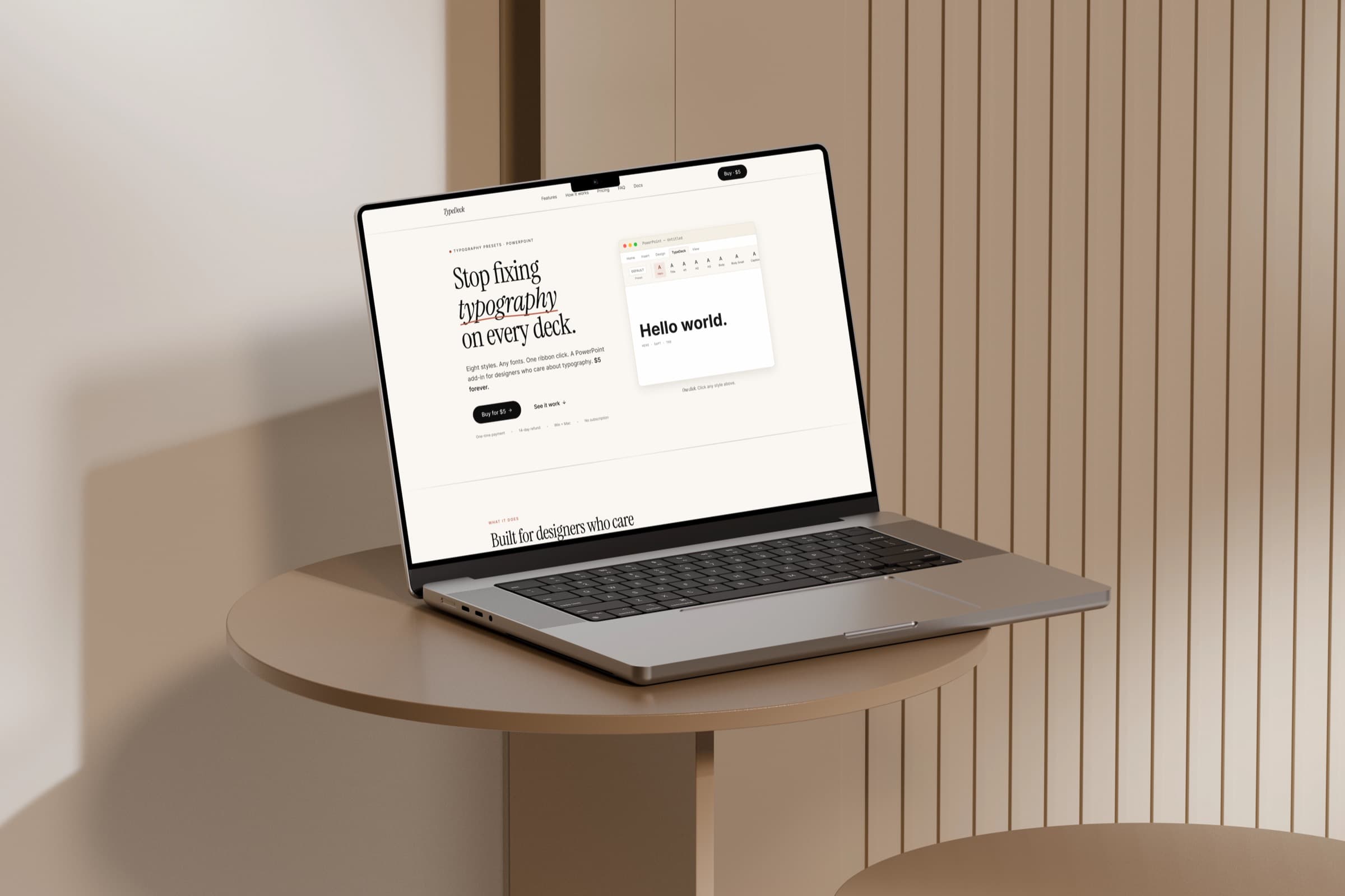
TypeDeck is a PowerPoint add-in that applies a complete type system in a single ribbon click, and it sells for five dollars, once. I designed it, built it and shipped it solo: the add-in itself, the twelve presets that come with it, the marketing site, the installers and the store listing. It is live at typedeck.pro. Most of the code came out of pairing with an AI build tool; the part that was mine was the product, the typography and the judgment about what was worth shipping.
The dance you repeat on every deck
Anyone who builds presentations for a living knows the loop. Click the text. Change the font. Change the size. Set the weight. Pick the colour. Fix the line spacing. Then do it again for the next text box, and again on the next slide, and start over the moment you open a new deck.
The cost is small each time and large in aggregate, and it is also where decks quietly fall apart: type drifts between slides, and between decks in the same engagement, until nothing quite lines up. The premise of TypeDeck is that a deck already has a type system whether or not anyone wrote it down, so the tool should let you define that system once and apply it in one click.
Eight styles, one ribbon click
TypeDeck adds its own tab to the PowerPoint ribbon with eight style buttons: Hero, Title, H1, H2, H3, Body, Body Small and Caption. Each one sets everything at once, font, size, weight, italic, colour, line spacing, letter spacing and the space above and below. Select some text or a text box, click a style, and the whole specification lands in a single step.
The eight names are slots, not rules. You rename them, retune them and save the bundle as a preset, so a brand gets its own type system under familiar labels. The Active dropdown switches the whole bundle when you switch clients. And if a text box already looks right, the floating editor lets you capture its entire style straight into a slot, so you can turn a deck you already like into a preset instead of rebuilding it.
Twelve presets ship with it, each a complete eight-style system: clean sans defaults like Default, Minimal and Compact; editorial serif and sans pairings like Editorial, Newsroom, Gazette, Bureau and Almanac; and more expressive sets like Studio, Atrium, Broadcast and Poster. Every pairing follows the same rule, a serif or display face for the headings over a sans body, or sans over sans, with body text never set in a serif, and every font ships with Office on both Windows and Mac, so a preset looks the same on the machine it lands on. You are not limited to the twelve; the presets are plain-text files you create, edit and share.
Font Audit, for the deck that is already a mess
Applying styles forward is the easy half. The harder half is the deck you inherit, fifty slides of inconsistent type that someone needs to clean up by Friday. That is what Font Audit is for.
It scans every text box in the deck and groups them by their type signature, font, size, weight and colour, then suggests the closest of your eight styles for each group and restyles them all in one pass. Boxes that mix several fonts inside one frame are listed but left untouched, because flattening them would do more harm than good. Macro changes cannot be undone with Ctrl and Z, so before it touches anything the audit offers to save a copy first.
Five dollars, once
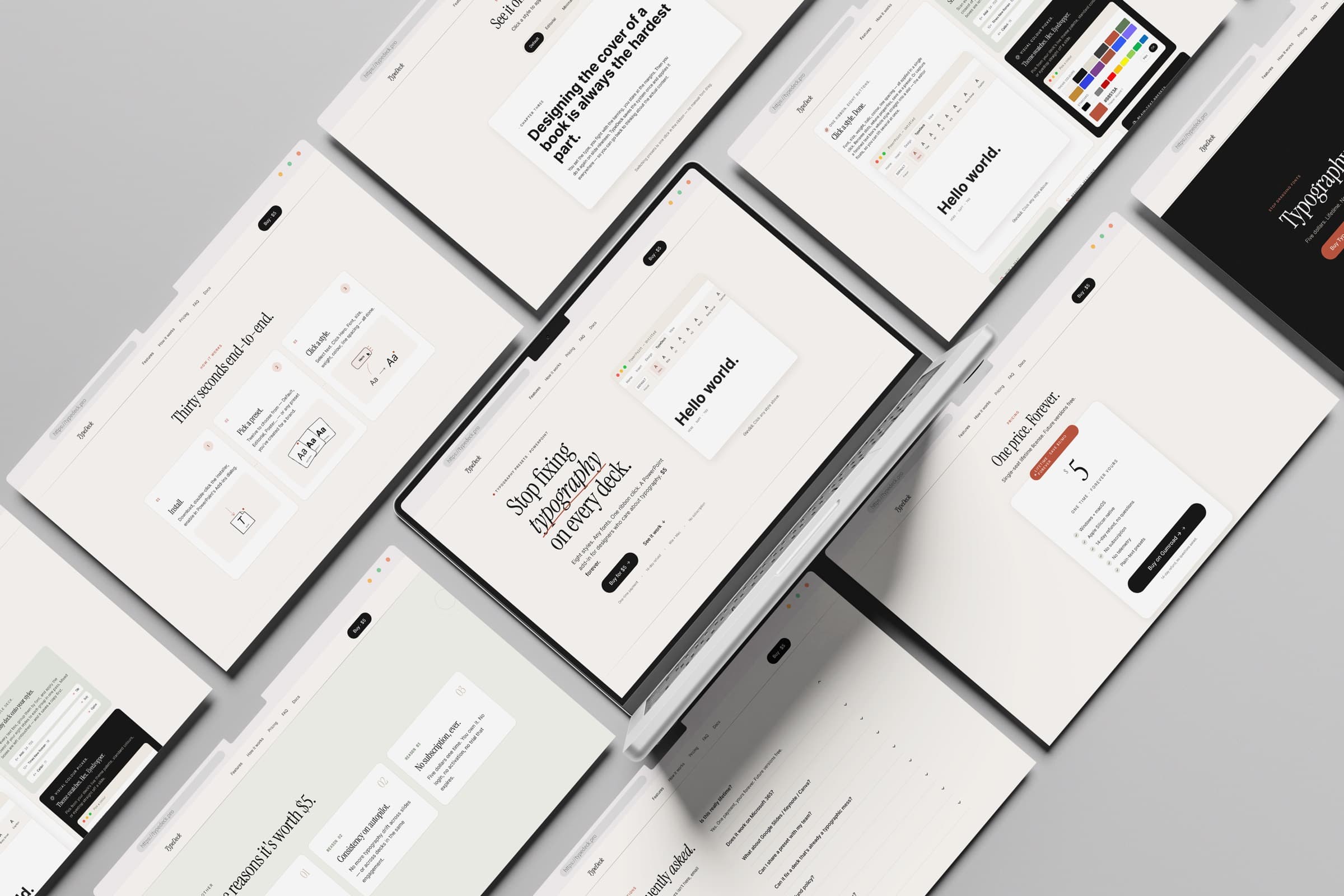
TypeDeck costs five dollars, one time, for a single-seat lifetime license, and future versions are free. There is no subscription, no login, no activation and no trial that expires. It collects no telemetry and no analytics, runs entirely on your machine, and keeps your presets local as plain-text files you can read, edit, share or check into git.
- Windows and macOS, Apple Silicon native, no Rosetta
- One-time payment, lifetime license, future versions free
- 14-day refund, no questions
- No subscription, no login, no telemetry
- Plain-text presets you can share or version
The price is a deliberate position, not a placeholder. Five dollars is high enough to discourage bots and freeloaders and low enough that nobody has to think about it, which is the point: the product should feel like buying a good pen, not signing up for another service. A tool that fixes typography should not need an account.
How it was built
The add-in is written in VBA and compiled into a .ppam, the native PowerPoint add-in format that has been stable since 2010. That choice was deliberate. The newer, web-based Office add-in model would have meant a hosted runtime, a permissions prompt and a network dependency; the .ppam installs with a double-click, asks for nothing, and runs offline. For a tool whose whole promise is that it stays out of your way, the older format was the better engineering decision.
One build, two platforms
A PowerShell build assembles the source into the shipped add-in: it imports the code modules, builds the five dialogs, and injects the ribbon definition and its icons into the package. The same .ppam runs on Windows and on macOS, natively on Apple Silicon, so the experience is identical on either side. Around it sits the rest of the product, a Next.js and React marketing site, the installers for both platforms, and the docs.
What the AI built, and what I did
Almost all of the code came out of working with Claude Code, and saying so is the point of putting this in the portfolio. My part was the product: deciding it should be eight styles and not forty, that body text is never a serif, that the price is five dollars with no account behind it, and that Font Audit should refuse to touch a box it might wreck. The AI moved fast; the value I added was knowing what to ask for, reviewing it hard, and choosing what to keep.
Small on purpose
TypeDeck is a finished product. It does one job, it makes a deck's typography consistent in a click, and it is for sale at typedeck.pro for five dollars, on Windows and Mac, with no subscription behind it. It exists and it works; that is the outcome.
The design act throughout was refusal. Eight styles, not forty. Twelve presets, not a marketplace. A lifetime license, not a funnel. Fonts that ship with Office, not a licensing problem. Each of those cuts made the product smaller and better, and a solo build is the rare setting where nobody argues you back out of them. Shipping something this contained taught me that finished is mostly a matter of defending the edges of a small, honest scope.
Next case study05
View all workCastd